





I set it up at home the night before and my phone had data the moment we landed at Narita. No hunting for a shop, no wrestling with airport English.
 Marta F.
  Japan · 12 days
 Is my smartphone compatible?
Type your model and we'll tell you if it supports eSIM. Without eSIM it can't be installed.
New here? 10% off your first eSIM with code GIGAPASS1010% off with GIGAPASS10

 Download App Store
  Download Google Play
 Searching…
Pick your plan, install it in two minutes and land connected.
 AfghanistanAfricaAfrica Safari
 Albania
 Algeria
 Andorra
 Anguilla
 Antigua & Barbuda
 Argentina
 Armenia
 ArubaAsia
 Australia
 Austria
 Azerbaijan
 Azores
 Bahamas
 Bahrain
 Bangladesh
 Barbados
 Belarus
 Belgium
 Belize
 Benin
Benin Bermuda
 Bhutan
 Bolivia
 Bonaire
 Bosnia & Herzegovina
 Botswana
 Brazil
 British Virgin Islands
 Brunei
 Bulgaria
 Burkina Faso
 Cambodia
 Cameroon
 Canada
 Canary Islands
 Cape VerdeCaribbean
 Cayman Islands
 Central African Republic
 Chad
Chad Chile
Chile China
China Colombia
 Congo - Brazzaville
 Congo - Kinshasa
 Costa Rica
 Côte d’Ivoire
 Croatia
 Curaçao
 Cyprus
 Czechia
 Denmark
 Dominica
 Dominican Republic
 Ecuador
 Egypt
Egypt El Salvador
 Estonia
 Eswatini
 Ethiopia
 EuropeEuropean Union and United Kingdom
 Faroe Islands
 Fiji
Fiji Finland
 France
 French Guiana
 Gabon
Gabon Gambia
 Georgia
 Germany
 Ghana
Ghana GibraltarGlobal
 Greece
 Greenland
 Grenada
 Guadeloupe
 Guam
Guam Guatemala
 Guinea
 Guinea-Bissau
 Guyana
 Haiti
Haiti Honduras
 Hong Kong
 Hungary
 Iceland
 India
India Indonesia
 Iraq
Iraq Ireland
 Isle of Man
 Italy
Italy JamaicaJapan
 Jersey
 Jordan
 Kazakhstan
 Kenya
Kenya Kosovo
 Kuwait
 Kyrgyzstan
 LaosLatin America
 Latvia
 Lebanon
 Lesotho
 Liberia
 Liechtenstein
 Lithuania
 Luxembourg
 Macao
Macao MadagascarMadeira
 Malawi
 Malaysia
 Maldives
 Mali
Mali MaltaMarie-Galante
 Martinique
 Mauritius
 Mayotte
 MexicoMiddle East and North Africa
 Moldova
 Monaco
 Mongolia
 Montenegro
 Montserrat
 Morocco
 Mozambique
 Nauru
Nauru Nepal
Nepal Netherlands
 New Zealand
 Nicaragua
 Niger
Niger NigeriaNorth America
 North MacedoniaNorthern Cyprus
 NorwayOceania
 Oman
Oman Pakistan
 Palestinian Territories
 Panama
 Papua New Guinea
 Paraguay
 Peru
Peru Philippines
 PolandPortugal
 Puerto Rico
 Qatar
Qatar Réunion
 Romania
 RwandaSaba
 Samoa
Samoa Saudi Arabia
 Scotland
 Senegal
 Serbia
 Seychelles
 Sierra Leone
 SingaporeSint Eustatius
 Sint Maarten
 Slovakia
 Slovenia
 South Africa
 South KoreaSpain
 Sri Lanka
 St Barthélemy
 St Kitts & Nevis
 St Lucia
 St Martin
 St Vincent & the Grenadines
 Suriname
 Sweden
 Switzerland
 Taiwan
 Tajikistan
 Tanzania
 Thailand
 Timor-Leste
 Togo
Togo Tonga
Tonga Trinidad & Tobago
 Tunisia
 Türkiye
 Turks & Caicos Islands
 Uganda
 Ukraine
 United Arab Emirates
 United Kingdom
 United States
 Uruguay
 US Virgin Islands
 Uzbekistan
 Vanuatu
 Vatican City
 Venezuela
 Vietnam
 Zambia
 Zimbabwe
No destination with that name.
Pick a destination and set up the plan in the next step.
 Asia United States
  Europe United Kingdom
  Latin America
  North America
  Global Canada Netherlands
  Saudi Arabia Türkiye Ireland Japan Albania Germany
  Andorra Algeria Armenia Australia Austria Azerbaijan Azores Bangladesh Belgium Belarus
  Bolivia Brazil Bulgaria Cape Verde Cambodia Qatar Czechia Chile China
  Cyprus Northern Cyprus
  Vatican City South Korea
  Croatia Denmark
  Ecuador
  El Salvador United Arab Emirates Slovakia Slovenia
  Spain Estonia Philippines Finland France Ghana Greece Guadeloupe
  Guatemala French Guiana Honduras Hong Kong Hungary India Indonesia Iceland Canary Islands
  US Virgin Islands Italy
  Jersey Kazakhstan Kyrgyzstan Kuwait Latvia Liechtenstein Lithuania Luxembourg Macao North Macedonia Madeira Malaysia
  Malta Marie-Galante Martinique
  Mexico Monaco Mongolia Norway New Zealand
  Oman Pakistan Poland Portugal Puerto Rico
  Dominican Republic Réunion Romania
  St Barthélemy
  Serbia Singapore South Africa Sweden Switzerland Thailand Taiwan Tanzania Tunisia Ukraine
  European Union and United Kingdom Vietnam
  Africa Safari Gibraltar Isle of Man Faroe Islands Laos
  Mayotte
  Middle East and North Africa Palestinian Territories
  Paraguay Peru Venezuela
  Africa Argentina Bahrain
  Fiji
Fiji  Moldova
  Montenegro
  Oceania Rwanda Tonga Uruguay Uzbekistan Vanuatu
  Brunei
  Egypt Guyana Nepal
  Nicaragua Niger St Martin Suriname Bonaire Curaçao
  Haiti
Haiti  Bhutan Scotland Madagascar Morocco Sierra Leone
  Caribbean
  Costa Rica Gabon Georgia Iraq
  Cayman Islands Jordan Kosovo Maldives Mauritius
  Sri Lanka
  Afghanistan Aruba Bosnia & Herzegovina Cameroon Kenya Lesotho Malawi Mozambique Nigeria Papua New Guinea Congo - Kinshasa Samoa Sint Eustatius Senegal Seychelles
  Sint Maarten Timor-Leste Uganda Zambia Anguilla Antigua & Barbuda Bahamas Barbados
  Belize
  Bermuda Botswana Burkina Faso Chad Colombia Côte d’Ivoire Dominica Gambia Grenada Greenland Turks & Caicos Islands British Virgin Islands Mali Montserrat Panama Central African Republic Congo - Brazzaville Saba St Kitts & Nevis St Vincent & the Grenadines St Lucia Tajikistan Trinidad & Tobago Benin Eswatini Ethiopia Guam Guinea Guinea-Bissau Nauru Jamaica Lebanon Liberia Togo Zimbabwe
 Connected at any destination
Countries, regions and a worldwide plan, on local networks.
From 1 GB to unlimited, hotspot included.
You pay before you leave and that is where it ends.
You install it at home, on your own wifi.
Validity starts with your first connection at the destination.
Calls, texts and WhatsApp stay on your usual SIM.
Three steps and not a single counter: only the last one happens when you land.
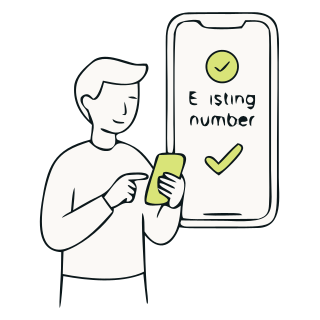
As soon as you pay, an email arrives with the QR code and the instructions. No waiting, nothing to ship.
On your phone: Settings › Mobile data › Add eSIM, then scan the QR. You can do it weeks before flying: installing doesn't use up any days.
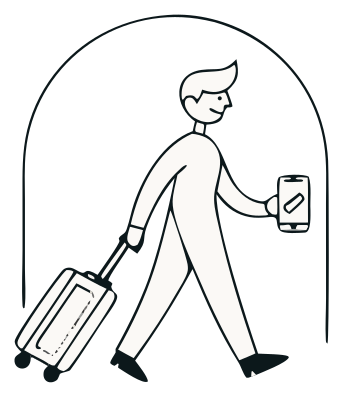
Switch on data roaming for the Gigapass line and it connects to a local network. That's when validity starts.
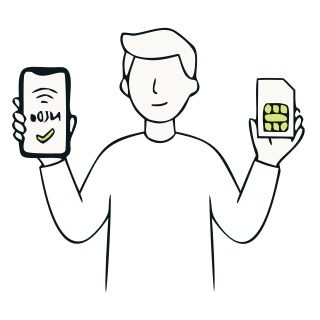
One line for your data. Your number for everything else. An eSIM is a digital SIM you install with a QR code, no plastic card and no store. It gives you internet the moment you land, at a fixed price, while your usual number stays on your usual SIM.

Settings · Mobile data
I set it up at home the night before and my phone had data the moment we landed at Narita. No hunting for a shop, no wrestling with airport English.
Marta F. Japan · 12 days
What sold me was knowing the cost before leaving. I came back with no surprises on my bill, which is exactly what happened to me last year with roaming.
 James H. United States · 8 days
I kept using my usual number for WhatsApp while the data ran through Gigapass. I ran out on the second-to-last day and topped up from my phone in a minute.
 Nadia O. Morocco · 5 days
I bought the plan three weeks ahead and it didn't use up a single day until I arrived. It took me a moment to find where to switch roaming on, but the email explained it.
 Jonas K. Türkiye · 15 days
There were four of us and I shared the data from my phone so everyone used the same plan. With twenty days ahead it worked out better than one SIM each.
 Lucía C. Thailand · 20 days
What I appreciated most was landing with Maps already working as I walked out of the airport. That's the moment you always end up circling around looking for wifi.
 Élodie M. Mexico · 10 days
Last year we paid a fortune in roaming. This time the cost was fixed before we left and I didn't think about it once during the trip.
Egypt · 9 days
I work from my laptop and tethered it to my phone with no fuss. Over eighteen days on the road that's what I needed: change city and have it keep working the same.
Vietnam · 18 days
It connected by itself the moment we landed in Toronto. I wasn't convinced at first and had the hotel wifi written down just in case, but I never needed it.
Canada · 14 days
I got it all ready from my sofa a week before. Landing in Rio without hunting for a SIM shop, and ordering the taxi straight from the airport, is worth it.
Brazil · 11 days Three ways to get online abroad. The difference is when you sort it out, how much you know you will pay and what happens when you land.
Most phones sold since 2019: iPhone XS or later, Galaxy S20 or later, Pixel 3 or later and many more. It has to be carrier unlocked.
A digital SIM already built into your phone: you install it by scanning a QR code, with no card to insert. It works alongside your usual SIM and you can switch it on or off from Settings.
No. Your SIM and your number stay active, and WhatsApp works with your usual number with nothing to set up: the eSIM handles your travel data (and the minutes, on plans that include them).
On almost every plan, with the first connection to a network at your destination: you can buy and install it weeks before travelling without using up a day. In a few destinations validity starts when you install the eSIM, and there it is better to do it just before you leave. Each plan says so on its page, before you pay.
Only data roaming on the Gigapass line. The eSIM connects itself to the local network and there are no extra charges, because the plan is a fixed price.
Right away. As soon as you pay, an email arrives with the QR code and the instructions. No shipping, no waiting.
Yes, hotspot is included in every plan.
Most plans are data only. Calls and texts still go through your usual SIM, so your operator may charge you roaming for them. Some destinations do have plans that include minutes: where they exist, they are marked on that destination's page.
You top up the same plan from your account in a minute. The top-up goes onto the eSIM you already have installed: nothing new to scan.
As fast as the local network allows: 5G or 4G in most destinations. On unlimited data plans the operator may apply a fair use policy if usage is very high; with normal use you will not notice it.
In your account, any time. You can top up right there if you are running low.
The QR code works once: if you delete the eSIM, you cannot reinstall it with the same code. If that happens, or you switch phones mid-trip, message us on WhatsApp and we will sort it out with you.
If you have not installed the eSIM or activated the plan, we refund you. Message us on WhatsApp with your order number and we will handle it: the money goes back to the same payment method.
Message us on WhatsApp and we will look into it with you, wherever you are. The most common fix is switching on data roaming for the Gigapass line.
Pick destination, days and data. You install it before you leave and pay once.
See plans for my destinationWe can help